What's new in 1.1
Keep your CA, trust it everywhere, and get ahead of post-quantum.
Version 1.1 lets you issue through the CA you already run, push its roots to your hosts with a second person's approval, install onto SQL Server, Remote Desktop and Exchange over WinRM, and plan post-quantum waves with a target algorithm. These walkthroughs show each screen that exists in the console today; what 1.1 does not do yet is on the roadmap.
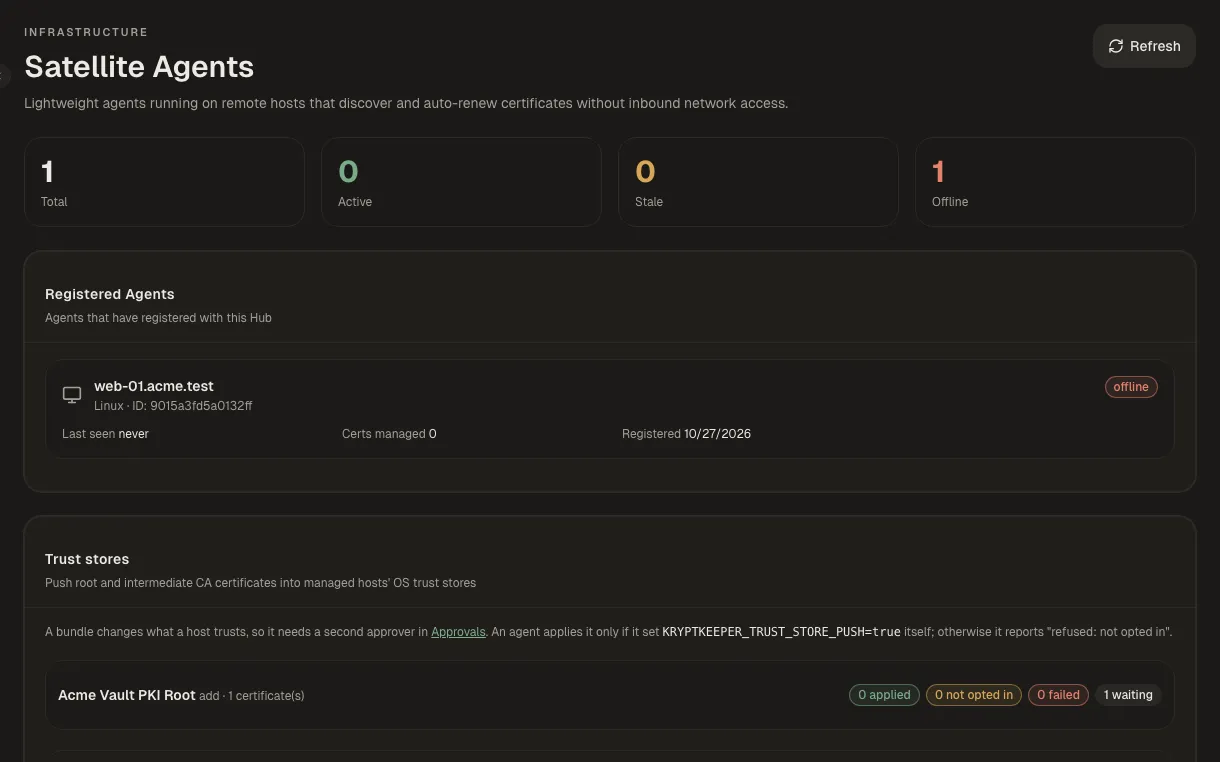
How it works
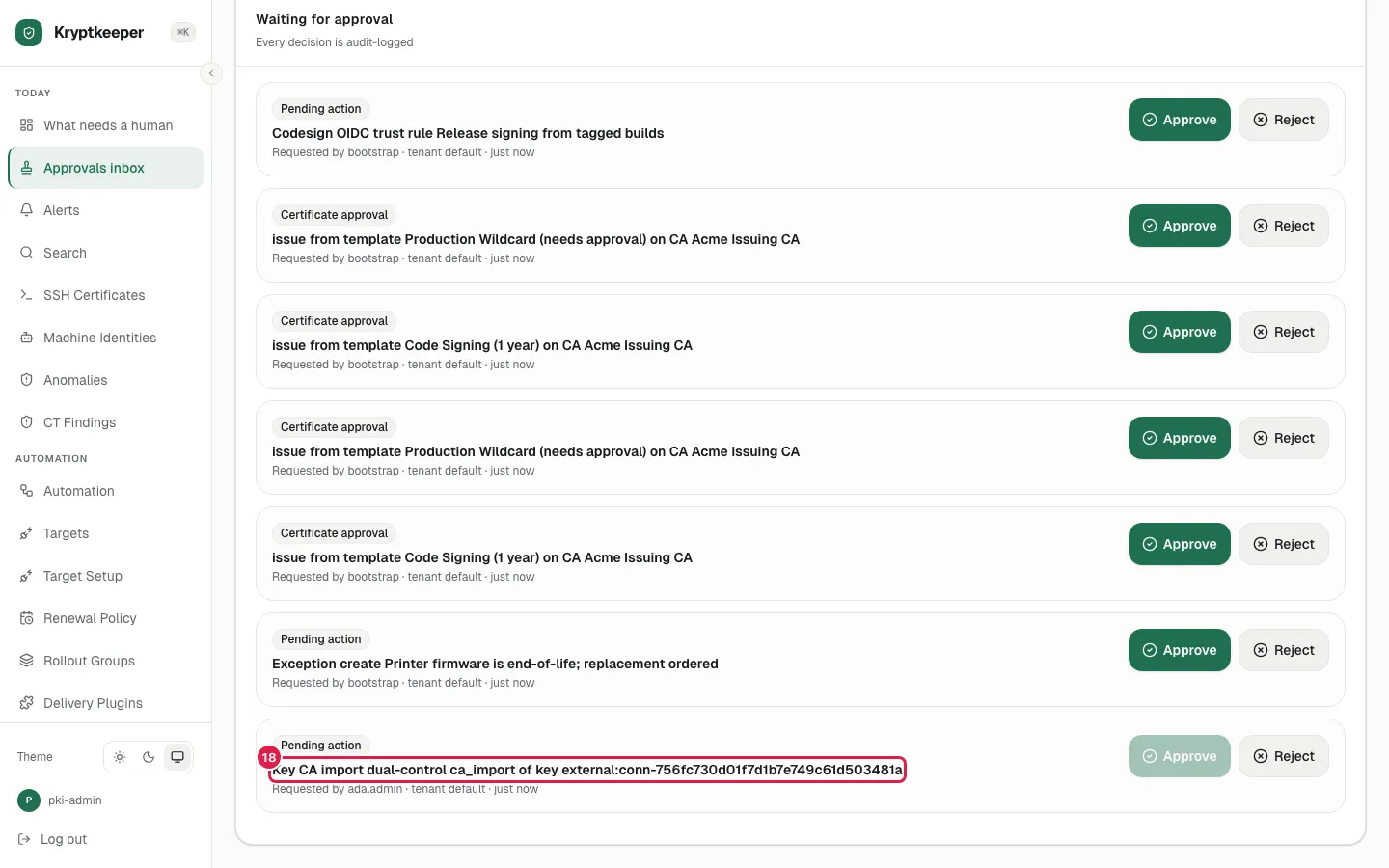
Keep the CA you already use
Connect HashiCorp Vault PKI as an issuer, test it, and propose it as an external CA for a second administrator to approve.
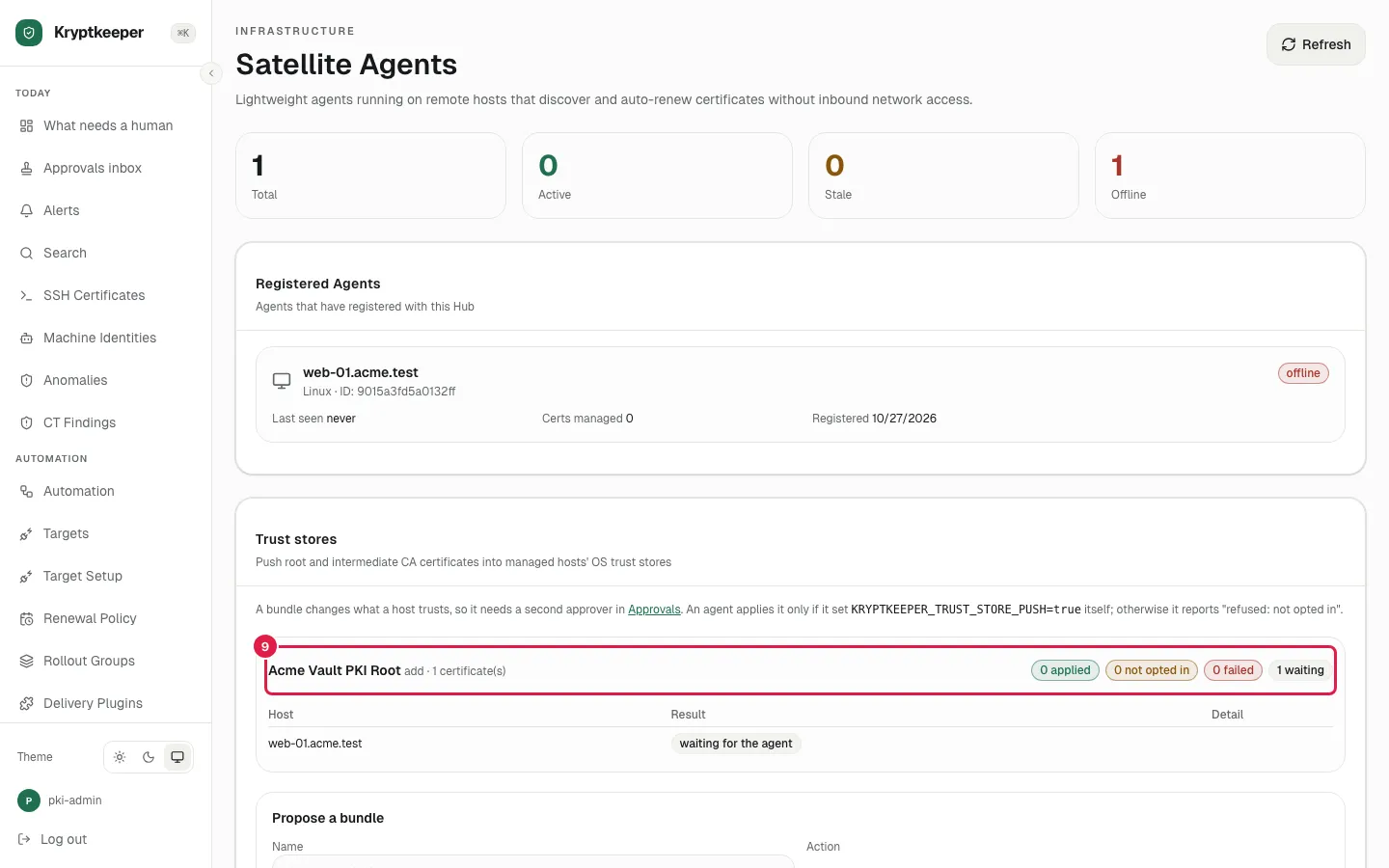
Push a CA to your hosts' trust stores
Propose a CA bundle for chosen agents, have a second person approve it, and read the per-host result.
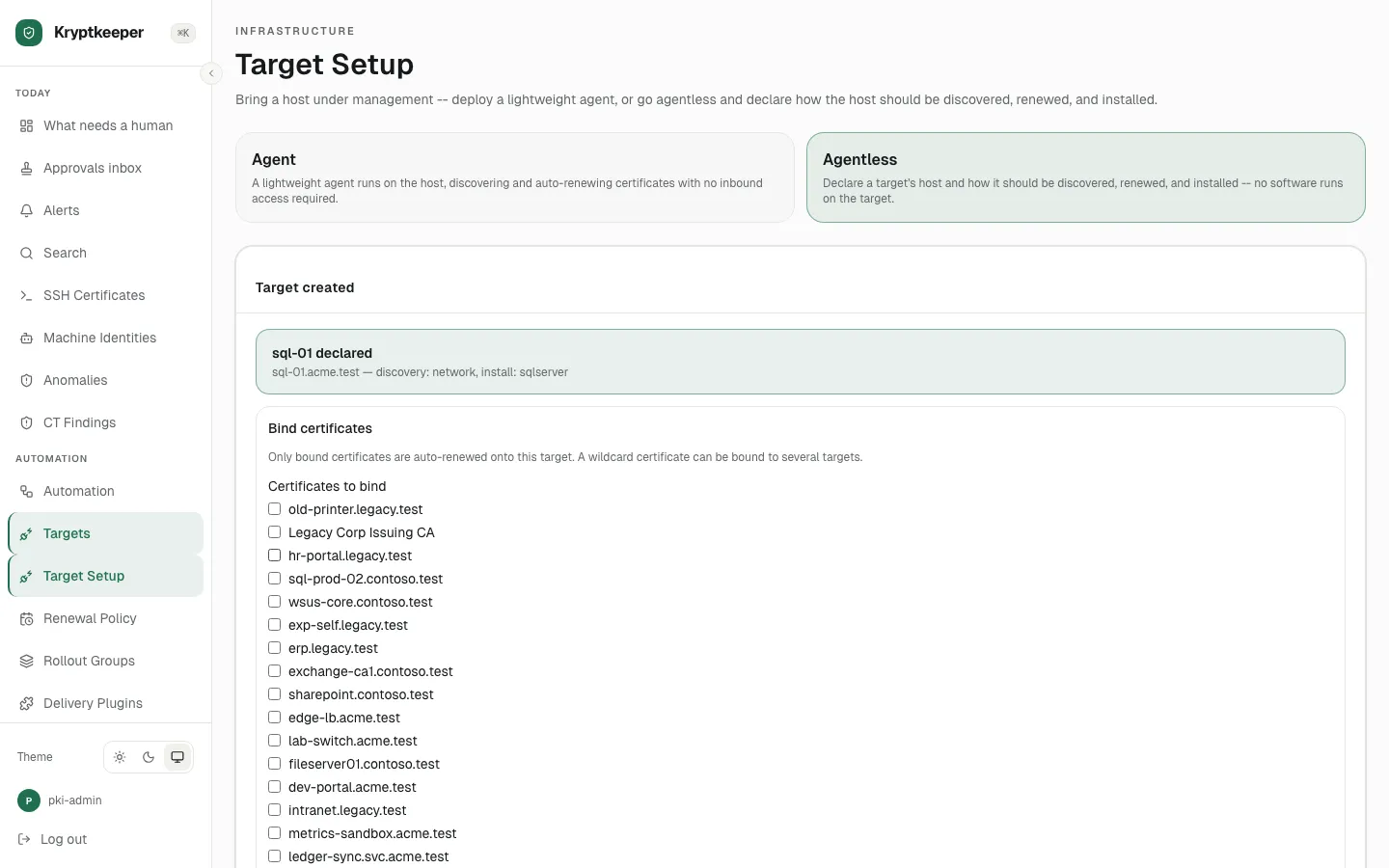
Install onto SQL Server, Remote Desktop or Exchange
Declare a Windows target and choose a WinRM install mode, with the credential stored here or fetched from a secret manager.
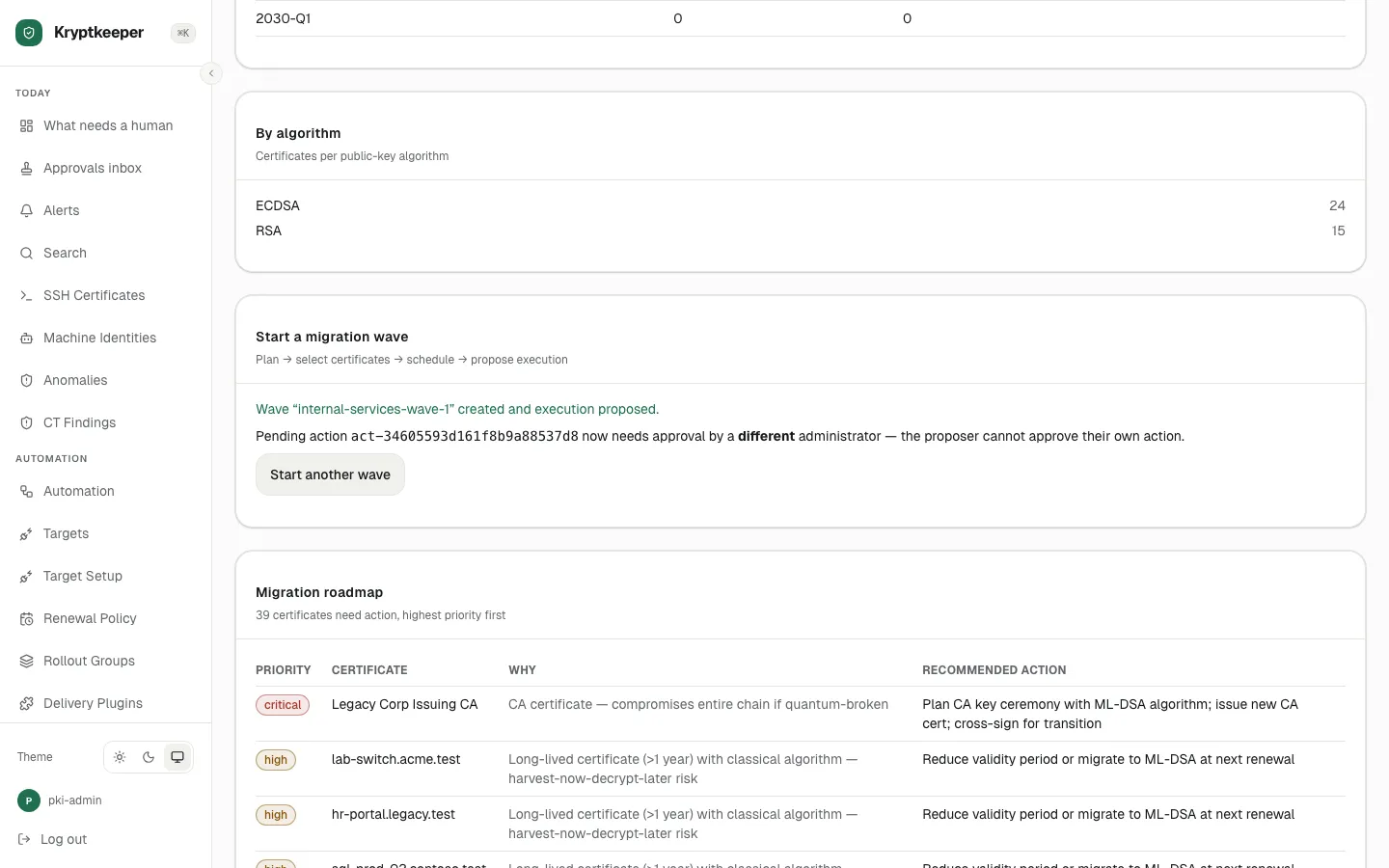
Start a post-quantum migration wave
Pick the certificates, an ML-DSA template and a target algorithm, then propose the wave for approval.