Run your own certificate authority, and stop finding out about expiry from an outage.
Kryptkeeper is a self-hosted CA and certificate lifecycle platform. It issues over ACME, EST, SCEP, CMP and Windows autoenrollment, finds the certificates you didn't know about, and renews and installs them without a person in the loop.
The whole certificate lifecycle in one place
Windows and Active Directory
Autoenrollment for domain machines and users, without an ADCS server.
Kryptkeeper serves MS-XCEP and MS-WSTEP natively, so domain-joined Windows machines and users enroll through Group Policy with Kerberos, exactly as they did with ADCS. Templates say whether they are offered to machines or users, ADCS templates can be imported, and a Windows agent and WinRM scanning cover the machine stores.
How it works →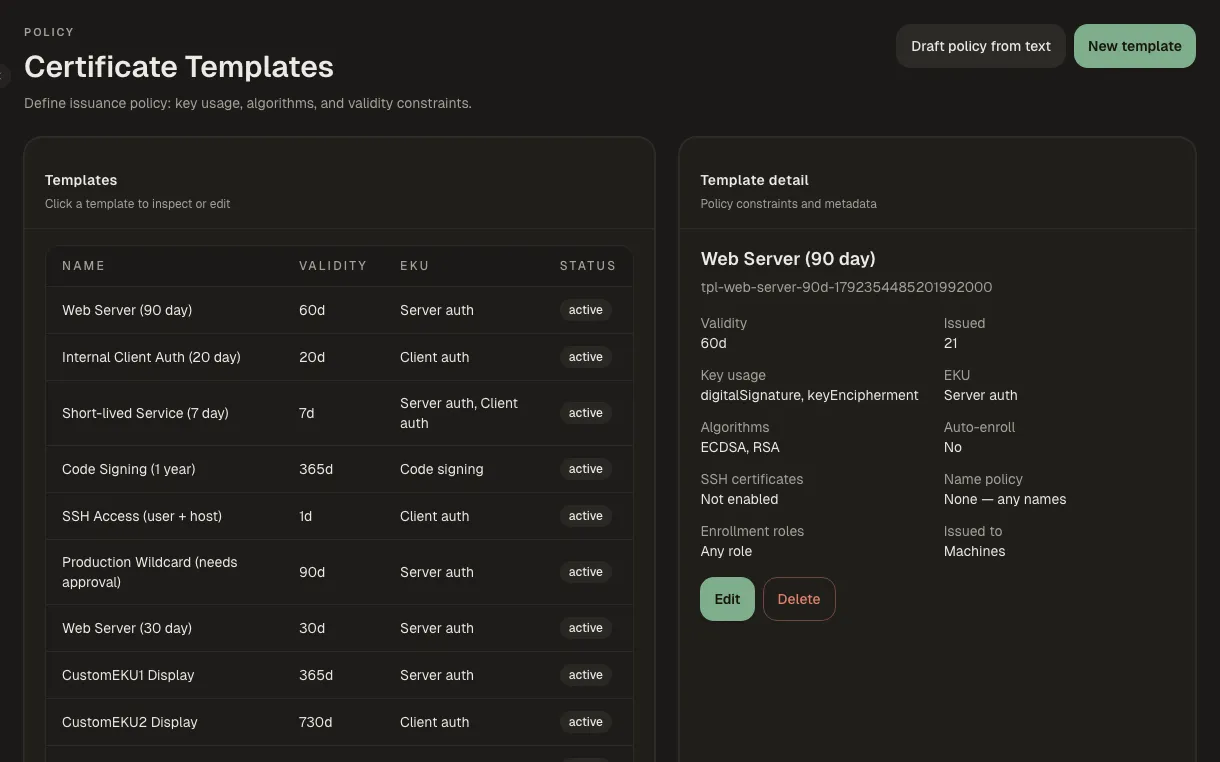
Discovery and inventory
Find the certificates you didn't know about.
Scan your network, pull inventory from other CAs, and watch Certificate Transparency logs for certificates issued in your name. Risky endpoints are flagged and can be accepted as risk with approval.
How it works →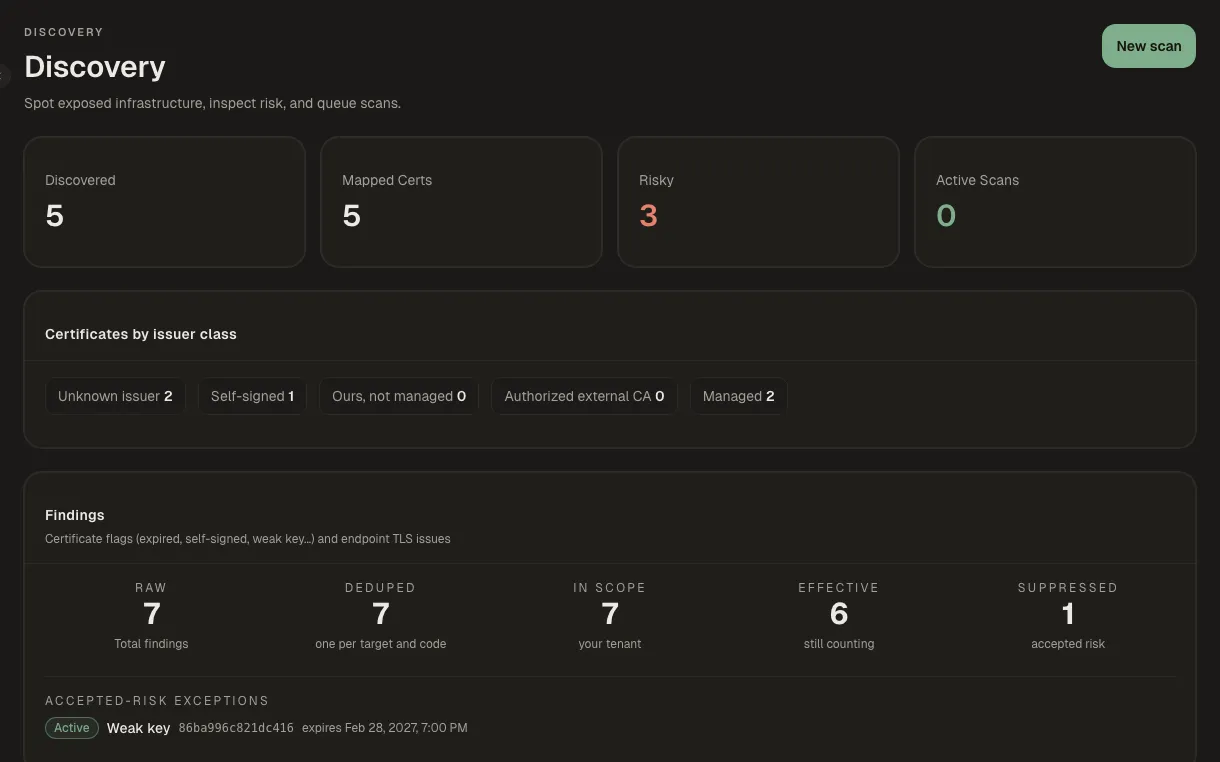
Automation and enrollment
Speaks the protocols your clients already use.
Servers renew over ACME, devices enroll over SCEP, EST or CMP, and agents or agentless targets install certificates where they are used. Rollouts go to a canary first, and failures wait in one queue.
How it works →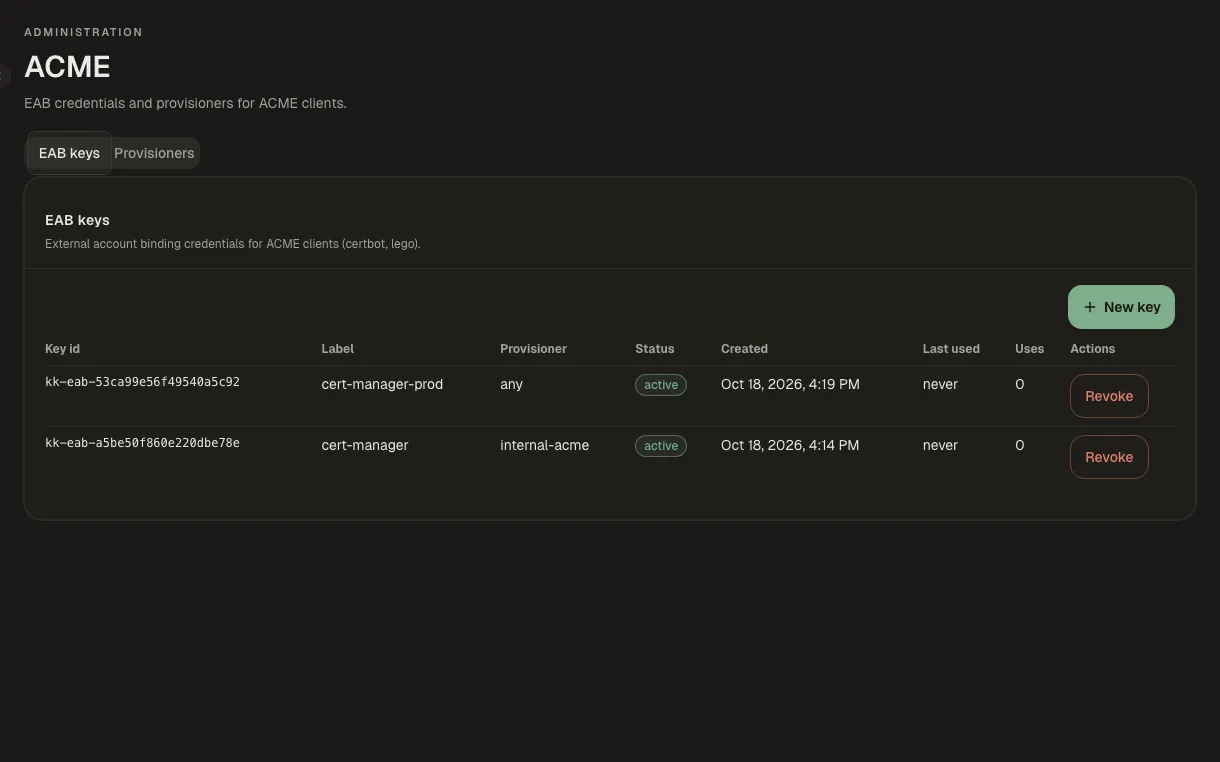
Approvals and guardrails
Sensitive changes need a second person, and show their impact first.
Requests, policies and exceptions can require a second approver. Before anything destructive, Kryptkeeper shows the blast radius: what will break and who owns it.
How it works →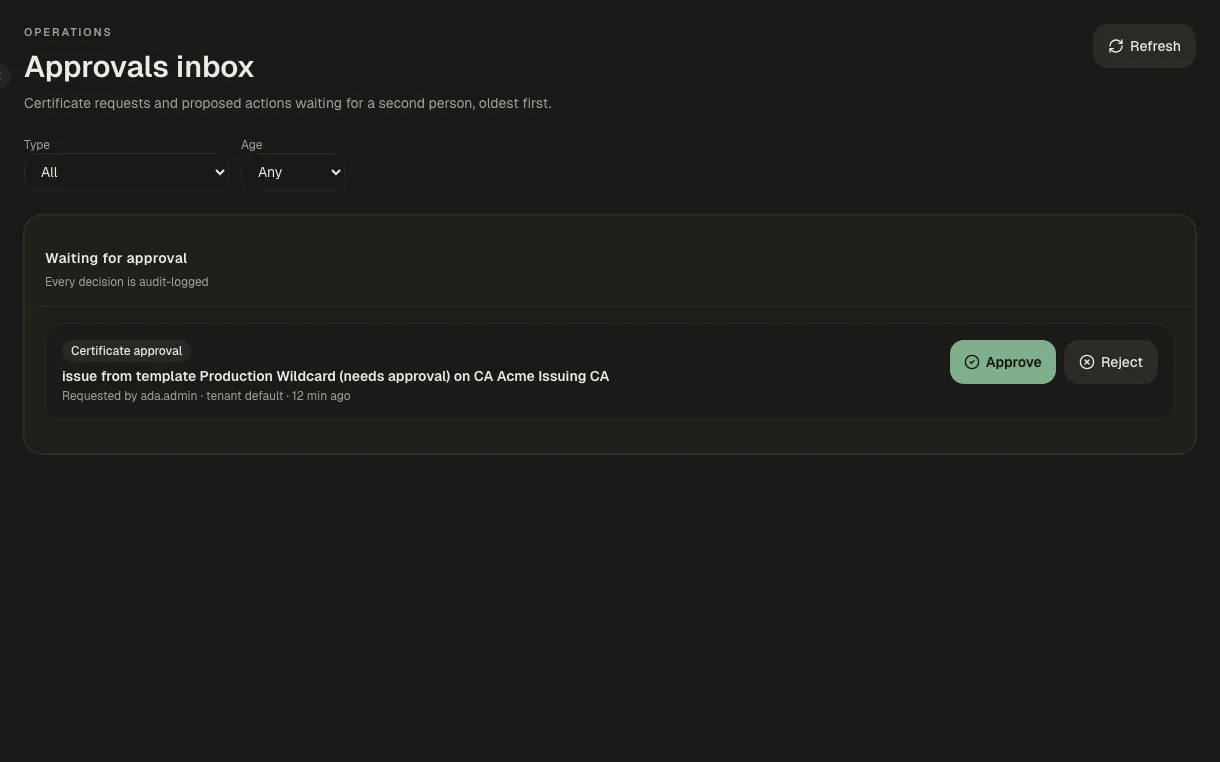
Everything else
Pick your path
Walkthroughs in the order a role needs them, from an empty install to a working setup.
- PKI administrator
Stand up your own PKI
From an empty install to a root, an issuing CA, templates and the first certificate.
7 steps → - Windows and AD administrator
Replace ADCS for your Windows domain
Keep Group Policy autoenrollment and move the CA behind it to Kryptkeeper.
6 steps → - Platform and DevOps engineer
Automate renewal for servers and devices
Get certificates renewing and installing themselves, and hear about it only when one can't.
8 steps → - Security lead
Take over an existing estate
Find what you already have, give every certificate an owner, and bring it under renewal.
7 steps → - Security and audit
Govern it and prove it
Least privilege, a second person on sensitive changes, and evidence an auditor will accept.
7 steps → - Platform engineer
Machine and workload identity
Identities for workloads, SSH and code signing, approved before they exist.
4 steps → - Developer and integrator
Integrate with your own tools
Write a plugin for a device we don't support, and send every event to the tools you already run.
4 steps →
Build your own integrations
Delivery plugins are WASM modules with three functions: Validate, Push and Rollback. They run sandboxed, declare the capabilities they need, and come in signed tiers (first-party, verified, community); a new plugin starts disabled until an admin turns it on. Everything the console does is also in the REST API, with SDKs for Go, Python and TypeScript, a Terraform provider and an MCP server.
Speaks the protocols your clients already use
certbot and acme.sh, network devices, MDM, and Windows clients all enroll against the same CA.
| Protocol | Spec | Typical client |
|---|---|---|
| ACME | RFC 8555 | certbot, lego, acme.sh; http-01, and dns-01 for wildcards |
| EST | RFC 7030 | Enterprise devices and services |
| SCEP | RFC 8894 | MDM and device enrollment with one-time challenges |
| CMP | RFC 4210 | Certificate Management Protocol clients |
| MS-XCEP / MS-WSTEP | [MS-XCEP] | Windows Group Policy autoenrollment |
| OCSP | RFC 6960 / 5019 | Real-time revocation checks |
| CRL | RFC 5280 | Revocation lists for offline and legacy clients |
Running in a few minutes
Docker Compose with SQLite. Set two different secrets in .env; the hub creates its root CA on first boot. The dashboard comes up on port 3000 and the API on 8080.
git clone https://github.com/bpmforge/kryptkeeper.git
cd kryptkeeper
cp env.example .env
# set APP_BOOTSTRAP_TOKEN and KRYPTKEEPER_KEYSTORE_PASSPHRASE
# (different values): openssl rand -hex 32
docker compose up -d
Helm, Terraform, binary, deb/rpm and air-gapped installs are in the deployment guide. Homebrew (Apple Silicon) and the Windows agent MSI are in the packaging guide.
Signed without a key to leak
Checksums and images are signed keyless with Sigstore cosign, bound to the GitHub release workflow. There is no long-lived signing key to fetch or trust.
cosign verify ghcr.io/bpmforge/kryptkeeper:0.9.4 \
  --certificate-identity \
  "https://github.com/bpmforge/kryptkeeper/.github/workflows/release.yml@refs/tags/v0.9.4" \
  --certificate-oidc-issuer \
  "https://token.actions.githubusercontent.com"
Images: ghcr.io/bpmforge/kryptkeeper, -agent, -certmanager, -mcp for linux/amd64 and linux/arm64.
What's proven, what's beta
The version number is below 1.0 on purpose. Each area is labelled by how it was tested: validated means run against real clients, not only unit tests.
Validated
- ACME against certbot and lego
- EST, SCEP, CMP, OCSP and CRL against openssl
- SSH certificates with OpenSSH
- Unattended renewal on nginx and Apache, with rollback
- Windows autoenrollment on a Kerberos lab
- Network discovery and issuer classification on a 17-host lab
- Renewal from Let's Encrypt (staging) over ACME DNS-01 with Cloudflare
- Agent on Windows (MSI) and macOS (Homebrew, LaunchDaemon)
- SQLite and PostgreSQL, including upgrades
Beta
- Reports, compliance evidence, CBOM, PQC readiness
- SAML, OIDC and SCIM
- CT monitoring and cloud inventory
- Terraform provider, Helm chart, MCP server
Experimental or unverified
- Multi-tenancy (not a security boundary yet)
- HashiCorp Vault and GCP Cloud KMS key stores
- F5 and Citrix plugins on real devices
- SCEP from network devices
- Missing intermediates from other private CAs (reported as unknown)
Full detail is in the v0.9.4 release notes.